

Scope can be product-specific
Coverage may depend on HTS codes, product descriptions, material content, origin and derivative-article rules.
Monitor selected Section 301 and Section 232 actions, covered products, derivative articles, exclusions, quotas, implementation dates and customs guidance. Rixena helps teams organize official changes for review.
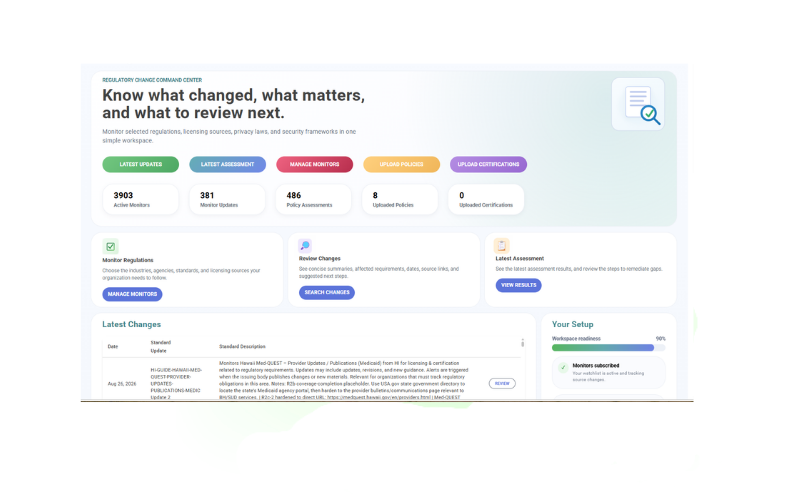
USTR, Commerce, the Federal Register, tariff schedule revisions and CBP instructions can each carry part of the implementation picture.
Coverage may depend on HTS codes, product descriptions, material content, origin and derivative-article rules.
Reviews, inclusions, exclusions, extensions and quota arrangements may follow different procedures.
CBP entry instructions and tariff schedule updates determine how an action is applied at import.
Trade, legal, procurement, finance and product teams may interpret the same action differently.
Choose the official sources, products, programs, countries and monitor categories relevant to your operations. Expand or refine the watchlist as needs change.
Selected USTR investigations, determinations, proposed actions, reviews and tariff modifications.
Selected exclusion notices, extensions, product lists, dates and related customs implementation guidance.
Selected Commerce investigations and official actions concerning the national-security effects of imports.
Covered articles, derivative products, metal-content treatment, inclusions and selected quota arrangements.
Proclamations, Federal Register notices, HTS updates and entry-date instructions.
Selected CBP cargo-system messages, entry instructions and trade-remedy operational materials.
Monitor availability and applicability vary by source, program, jurisdiction and organization. Your team chooses the watchlist it wants Rixena to follow.
Select your monitors, receive organized change intelligence and optionally connect policies or procedures for assessment.
Choose the tariff, customs, trade-remedy, guidance and other official sources relevant to your products and operations.
See what changed, important dates, affected topics, source links and suggested review areas.
Optionally upload and assign trade, sourcing, logistics or operational policies to selected monitors.
Review potential gaps, clarify ownership, organize next steps and retain supporting evidence.
Rixena follows the official tariff, customs, trade or guidance source your team selects.
The update is captured, summarized and organized so reviewers can focus on what changed.
Your team receives a focused review package instead of another unstructured alert.
Organize watchlists by program, product category, HTS classification, country, supplier or business unit.
Create your free monitoring accountReduce repeated searches across individual agency, tariff schedule and implementation websites.
Give owners the source, dates, affected topics and review context in one place.
Organize who reviews trade, legal, finance, procurement and operational implications.
Keep selected updates, assessments, review activity and supporting evidence together.
Start with selected-source monitoring, then add policy assessment workflows when useful.
Talk to AllgressYour organization can select relevant official sources and monitor categories, including section 301 investigations, section 301 exclusions, section 232 investigations, steel and aluminum coverage. Available coverage depends on the selected monitors and sources, and your organization determines which requirements apply.
Yes. Rixena can be used for regulatory change monitoring without policy uploads. Policy uploads are optional and can support policy assessment workflows when useful.
Yes. Watchlists can be organized around the products, classifications, countries, suppliers, programs, business units and other operating factors your organization selects.
You can optionally upload and assign relevant policies or procedures to selected monitors. When a monitored source changes, Rixena can identify areas in the assigned documents that may require review, clarification or remediation.
No. Rixena provides regulatory intelligence and workflow support. Your organization remains responsible for determining applicability and obtaining legal or other professional advice where needed.
Get a free Rixena account and begin building the monitoring watchlist your organization needs.